YOUR FIELD GUIDE
Build with confidence.
Learn what to choose, what the numbers mean, and how to get a useful recommendation.
Guide revision 1.0 · updated 2026-11-08 · shared optimizer/data v0.8.0 · 134 labeled controls and explanations.
Reference labels match your illustrated PDF. For example, G4 means Must use and K5 explains the comparison table. You can use these labels when asking for help.
START HERE
Your first loadout in six steps
- Choose your fight. Select mode, soldier class, playstyle and your usual distance or distance band.
- Choose your priority. Start with Best all-round balance. Change the sliders only when you want a different tradeoff.
- Choose one weapon or compare eligible weapons. VSS is listed as VSSM in the DMR category. Browser category tabs only filter the visible list.
- Keep only the parts you really require. In the Armory, Try part changes the preview. Must use requires that exact part in the search. Check its cost against your point budget.
- Find your builds. Fast gives a provisional shortlist. Exact can verify the modeled goals once it finishes; it may take longer. Read the status.
- Review and save. Compare balance, control and ideal kill timing. Read gains and tradeoffs, then save your preferred build. Equipping it in Battlefield is manual.
For REDSEC’s armored target, precise kill timing is unavailable. An explicitly unarmored reference does not simulate armor.
KNOW YOUR REFERENCE
“Less recoil” compared with what?
The recommendation has 0.085° less modeled recoil. That is favorable for control. It does not change the weapon’s damage by 0.085, and it is not a percentage.
| Where you are looking | The reference |
|---|---|
| Live readout, matrix, “Why this build?” | That weapon’s baseline: default magazine, ammo and barrel; optional slots empty; a qualifying optic when magnification is required. Same class and fight settings. |
| Recommended weapon versus your reference | The exact build you chose with Compare as my build or Use these parts for comparison. |
| Versus best balance | The best-balance search result, compared with a different goal’s result. |
| Class bonus box | The same attachment build with its signature bonus disabled. |
Lower recoil, spread, ADS time and TTK are favorable on those individual metrics. Higher damage, velocity or capacity can help, but their costs elsewhere still matter. Points are a cost. Cyan and amber are accompanied by words so you do not have to rely on color.
Set up your own reference build · Understand perfect-hit TTK · Understand modeled recoil
GET UNSTUCK
When a search cannot find a build
The requirements check explains simple conflicts before search. Its fix buttons change only the named requirement when you choose them. Passing that check does not prove that a full combination exists.
| What happens | What to check |
|---|---|
| Required optic conflicts with zoom | Keep your named sight and allow any magnification, or let the search choose a sight. Armory Must use already gives the named optic precedence over a conflicting generic zoom. |
| A part is both Must use and Exclude | Choose which rule to retain. Prefer is a soft preference, not a requirement. |
| Minimum points exceed the budget | Increase the budget within 100, or unlock an expensive part. The minimum is a lower bound; dependencies may require more. |
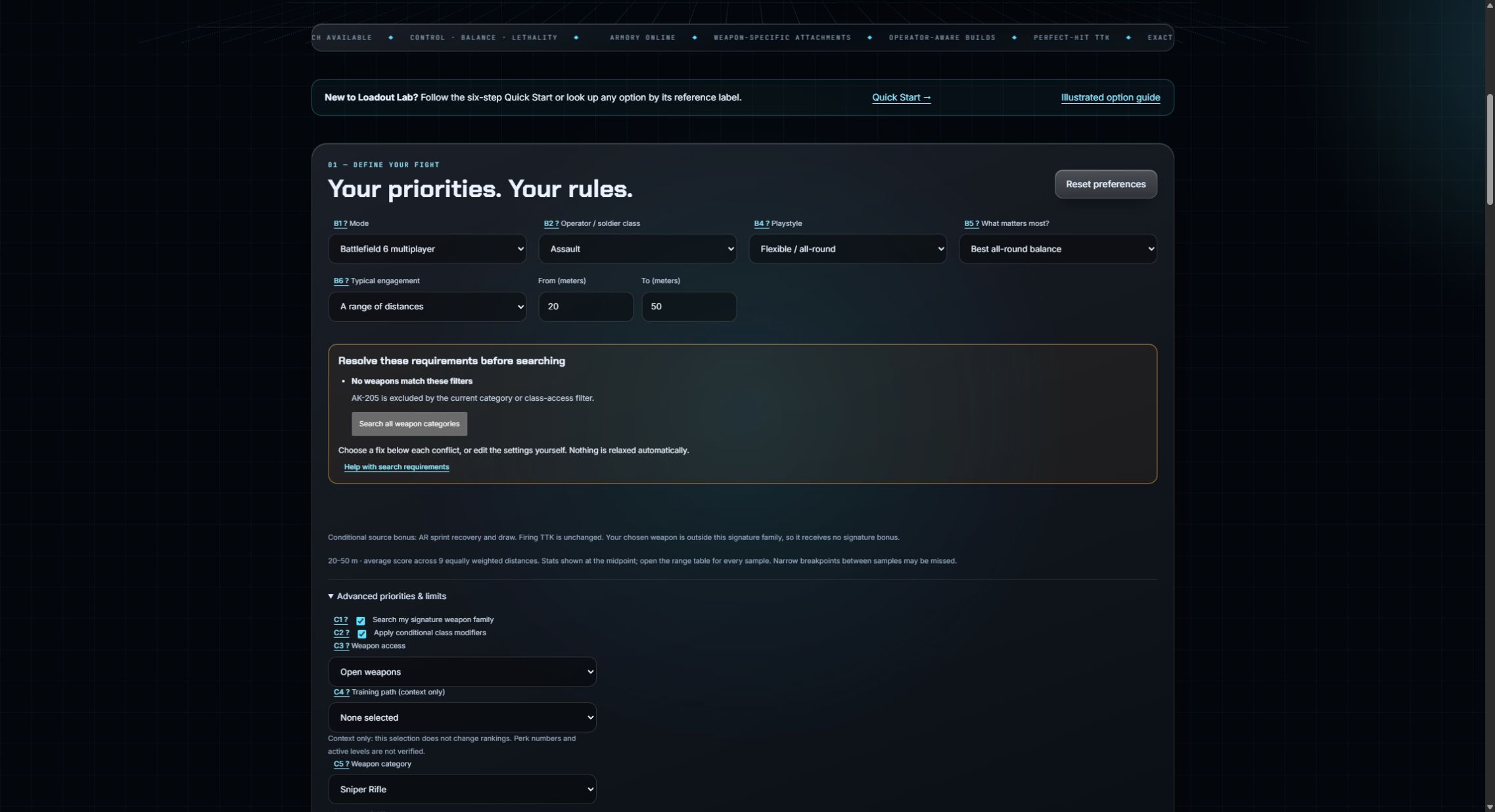
| No weapons pass the filters | Check weapon category, class-restricted access and signature-family search. Browsing category tabs is different from setting a search category. |
| Required fire mode or capability unavailable | Use the weapon/receiver default or review conversion and capability requirements. VSSM requires its source conversion for automatic fire. |
| Fast finds nothing | A shortlist may miss a feasible combination. Use Exact to check feasibility. |
| Completed Exact finds nothing | No build satisfies all recorded constraints in the catalog/model. Review Must-use rules, exclusions, budget, minimum magazine, ADS limits and protected damage/velocity/handling. Change one limit you are willing to relax and search again. |
ILLUSTRATED OPTION REFERENCE
Find an option by name or label
134 explanations available.
Most close-up pictures come from your illustrated PDF dated 7 November. Counts and wording may differ in those reference images; the text here describes the current site. The original PDF remains an older downloadable reference.
No instructions match. Try a shorter name or a label such as G4. Open troubleshooting.
A · Home and live readout
A1 Top navigation and Build now
Armory, Recommendations, My loadouts and Ask the Armory jump to sections on the same page. Build now jumps to the fight settings. These links do not run a search.

A2 Open the Armory / Ask for a build
These are shortcuts to the manual builder and the supported-phrase request box. Clicking either shortcut does not select attachments or find a recommendation.

A3 Weapons indexed, data patch and reviewed date
The catalog contains 56 supported primary weapons, including M16A4 and all six DMRs. VSS is listed as VSSM and can be found by either name. Shotguns and sidearms are outside the optimizer. Patch and reviewed date identify the data snapshot and source review, not independent game testing.

A4 Weapon, class, preview state and SYNCED
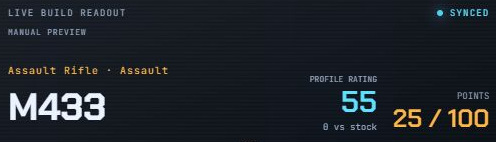
The card identifies the displayed weapon and selected class. MANUAL PREVIEW means you are exploring parts. SEARCH RESULT or SAVED BUILD identifies a different source. SYNCED means the card updated; it is not a game connection or accuracy certificate.
A5 Hexagon chart and Profile rating
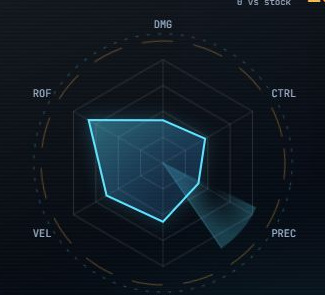
The dashed shape is the weapon baseline; cyan is your current preview. DMG, CTRL, PREC, HDL, VEL and ROF show normalized damage, control, precision, handling, velocity and fire rate. Profile rating averages these display axes. It does not set search rankings. A required magnification may put a qualifying optic on the baseline.
A6 Points, three stat tiles and colored deltas
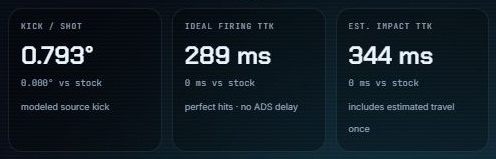
Points are the attachment cost, not performance. The three tiles show kick per shot, ideal firing TTK and estimated impact TTK. Their changes describe your preview versus its weapon baseline under the same settings. Cyan indicates a favorable change; amber a tradeoff. Words such as less and more explain the direction.
A7 Visual effects and reduced motion
The cursor glow, card tilt, moving radar, rings, scan lines and scrolling ticker are decoration. They do not improve stats or affect search. Cursor effects use a mouse; reduced-motion preferences turn off animation.

B · Define your fight
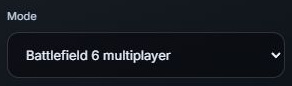
B1 Mode
Choose Battlefield 6 multiplayer, REDSEC Battle Royale or REDSEC Gauntlet. The mode changes the target assumptions and some scoring weights. For armored REDSEC targets, damage and kill timing are not fully verified; see C6.
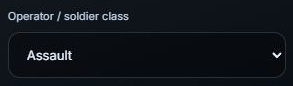
B2 Operator / soldier class
Choose Assault, Engineer, Support, Recon or No class bonus. This sets the class context and can change modeled signature bonuses. Changing class while signature-family search is enabled also returns the search to eligible weapons.
B3 One weapon or compare weapons
The Armory weapon list is how you pick a particular gun in this preview. Compare eligible weapons lets the optimizer choose among weapons allowed by your filters. A visible drawing of one gun does not always mean the search is limited to that gun.
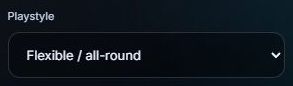
B4 Playstyle
Flexible / all-round uses the general weighting. Aggressive / moving gives more weight to handling and hip-fire considerations. Hold angles / sustained fire gives more emphasis to capacity and less to quick handling. This does not move the firing-stance control for you.
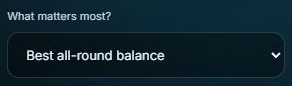
B5 What matters most?
Best all-round balance, Easier recoil control, Damage and ideal kill timing, and Quicker handling set groups of priority sliders. Custom priorities means you adjusted them yourself. A preset changes tradeoffs; it does not equip a canned attachment list.
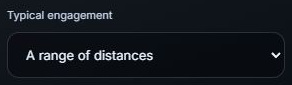
B6 Typical engagement
Choose one exact distance or a range of distances. One distance suits a specific test. A range is useful when your fights vary. Range influences damage, hit count, timing and the importance of different handling/control tradeoffs.
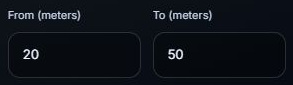
B7 From / To: a range of distances
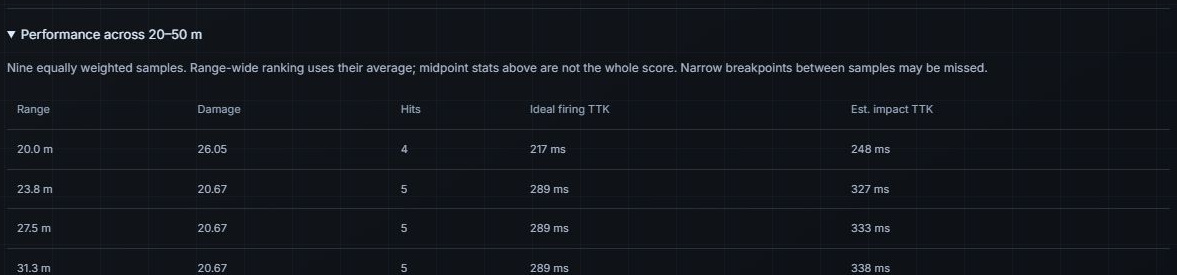
Enter the near and far ends of the range. The app scores nine equally weighted distances, not every possible meter. It uses their average to rank builds. Narrow damage breakpoints between those samples can be missed.
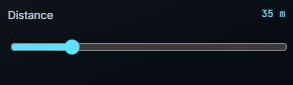
B8 Distance: one exact distance
The distance slider runs from 5 to 150 meters. The app evaluates the selected distance. At longer range a damage drop or slower bullet speed can change the result, even when the weapon and attachments stay the same.
B9 Find my builds
Starts a search using your current fight settings, budget and attachment rules, then takes you to Recommendations to see progress and results. The message beside the button also updates. Changing a setting alone does not start a search; click Find my builds again. Exact can take several minutes. If requirements conflict, the site explains what needs attention. A manually tried part is kept only when you set Must use.

B10 Reset preferences
Returns fight settings, locks and search rules to the app defaults. This is broader than stripping optional parts in the schematic. It does not delete your saved-build library. Use it when accumulated restrictions make the search confusing.

C · Class, target and firing scenario
C1 Search my signature weapon family
When comparing weapons, this limits the search to your class's signature family. It does not prevent you from explicitly selecting a different weapon. A weapon outside the signature family does not gain that family's bonus.

C2 Apply conditional class modifiers
Turns the app's modeled class modifiers on or off. The class still provides context when this is off. These bonuses are conditional source-based assumptions; the site identifies effects that have not been independently verified in the current patch.

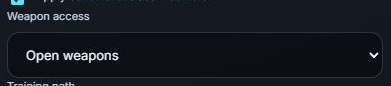
C3 Weapon access
Open weapons allows the broader catalog. Class-restricted weapons applies the app's restricted-access filter: the signature family plus carbines. It is an app search filter, not a live check of a server's custom rules.
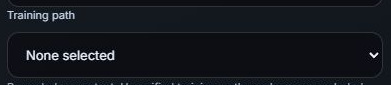
C4 Training path
Records a training-path choice for context. Training-path numbers are not currently applied to scoring. Choosing a path here does not secretly add a recoil, damage or speed bonus.
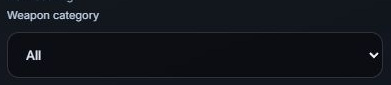
C5 Weapon category
Limits the search to All, Assault Rifle, Carbine, SMG, LMG, Sniper Rifle or DMR. This is a real search restriction. Category tabs in the weapon browser only change the visible list. A category filter and a class-access restriction can conflict.
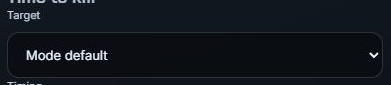
C6 Target
Mode default uses the mode's target context. 100 HP, unarmored reference deliberately tests an unarmored target. Armored REDSEC kill timing is unknown in this app; selecting the unarmored reference does not simulate armor.
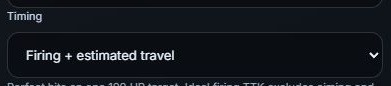
C7 Timing
Firing only measures the time between the first shot and the killing shot. Firing + estimated travel adds distance divided by initial bullet speed once. Neither setting adds time to aim, draw the gun or recover from sprinting.
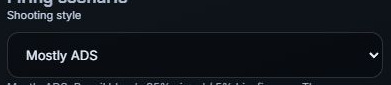
C8 Shooting style
Mostly ADS, Mixed ADS and hip-fire, or Mostly hip-fire changes the scoring assumptions about how often you aim. It does not assume missed bullets in ideal TTK. Hip-fire priority at zero forces aimed-fire weighting.
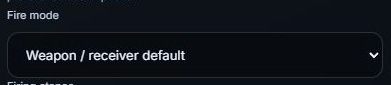
C9 Fire mode
Choose the weapon/receiver default, Automatic, Single fire or Burst. The selected weapon and conversion parts must support that choice. Unsupported cadence or fire mode can make a build unavailable; the app does not invent missing firing data.
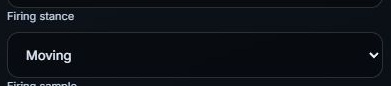
C10 Firing stance
Moving or Stationary selects the spread conditions scored by the model. This is separate from Playstyle: an aggressive playstyle can still be evaluated while stationary if you select that here.
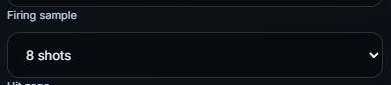
C11 Firing sample
Choose 4, 8 or 20 shots for the modeled recoil/recovery and spread sample. This controls how sustained firing is assessed. It does not mean the opponent always needs that many hits to die.
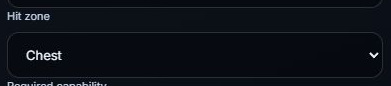
C12 Hit zone
Chest, Head, or Limb / abdomen selects the modeled damage zone. Ideal TTK assumes every shot hits that selected zone. It does not mix a percentage of headshots with body shots.
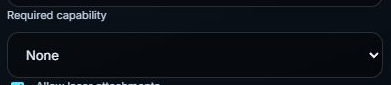
C13 Required capability
None adds no utility requirement. Fire while Sprinting, Reload in ADS or Rechamber in ADS requires a compatible source-tagged capability. This is a hard filter; a requirement the weapon cannot provide can leave no valid build.
C14 Allow laser attachments
When unchecked, lasers are excluded from the search. When checked, a laser may be chosen for modeled aimed-fire precision or hip-fire benefits. Hip-fire priority at zero does not automatically ban lasers that help aimed fire.

C15 Forbid enemy-visible lasers
Excludes lasers flagged as visible to enemies, while allowing other permitted devices. It is narrower than turning off all lasers. Visibility is an equipment restriction, not a measured enemy reaction or detection-time simulation.

D · Your priorities
D1 Recoil
Raises or lowers the importance of recoil in the balanced recommendation. The model considers kick, direction variation, firing rate and simulated recoil during the firing sample. A higher setting asks the optimizer to accept more tradeoffs for control.

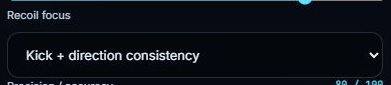
D2 Recoil focus
Kick + direction consistency balances both. Kick per shot puts more emphasis on kick. Direction variation puts more emphasis on how consistently recoil points in the same direction. It changes the recoil score, not the weapon's raw stats.
D3 Precision / accuracy
Sets the importance of aimed-fire spread, firing bloom and sway. Spread means the bullets can disperse around the aim point; recoil means the aim is displaced. A build can reduce one while worsening the other.

D4 Handling
Sets the importance of ADS, aimed movement, sprint recovery and draw time. This is where faster aiming matters. Higher handling priority can favor a more responsive build, but it does not add ADS time to ideal firing TTK.

D5 Lethality: damage + fire rate
Sets the importance of the selected perfect-hit kill timing. Damage and firing cadence determine how many shots are needed and when they fire. Estimated travel also matters when C7 includes it. Armored-target timing is omitted when unknown.

D6 Hip-fire
Sets how much hip-fire performance matters. At zero, hip-fire scoring is removed and the recoil blend uses aimed fire. A laser can still help aimed precision; use C14 to exclude lasers completely.

D7 Reload speed
Sets the importance of modeled reload time. A fast magazine may reduce reload time but cost points or alter other stats. Raising this slider does not require the largest magazine.

D8 Stealth / minimap exposure
Weights the source-based minimap exposure metric. This is a preference in balanced scoring, not a guarantee that enemies cannot spot or hear you. Use E3 if a suppressor must be present.

D9 Visual recoil preference
Uses a coarse source visual-recoil preference. Exact camera movement is not verified. This is not a measured camera shake reduction, and should not be treated as a precise substitute for kick or sustained recoil.

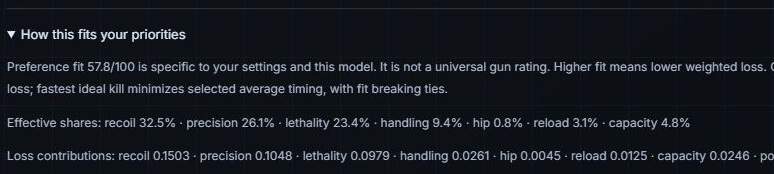
D10 Effective priority shares
Shows the weights actually used after range, playstyle and firing assumptions adjust the sliders. They are normalized relative shares. Capacity also has a modeled share even though it has no separate slider. Changing one priority can change the displayed shares of others.

E · Limits and search depth
E1 Required optic magnification
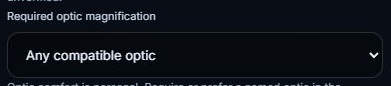
Any compatible optic leaves magnification open. A numbered choice requires that zoom and excludes irons. Variable optics qualify at recorded endpoints. In the Armory preview, a named Must use optic clears a conflicting generic magnification filter and displays a message.
E2 Firing with bipod / grip pod deployed
Applies supported deployed-only attachment effects. Use it for a scenario where the device is actually deployed. It does not mean that the same benefit applies while running or firing without deployment.

E3 Require a suppressor
Makes a suppressor a hard requirement. This differs from a stealth preference. A required suppressor must fit the weapon, the attachment rules and the point limit; otherwise there may be no valid result.

E4 No loss in movement, spread, sway or sprint/draw handling
Rejects builds that worsen those protected fields relative to the app's baseline. This is stricter than simply giving handling a high priority. ADS time is controlled separately by E7 and E8.

E5 Keep at least baseline bullet velocity
Rejects a slower bullet-speed result relative to the baseline used by the app. This can remove otherwise useful suppressor, barrel or ammo combinations. Turn it off only if you are willing to accept that speed tradeoff.

E6 Keep baseline damage at this range
Rejects modeled damage reductions at the chosen distance, or at the sampled distances in a band. It does not promise identical damage at every other distance in the game.

E7 Extra ADS allowed
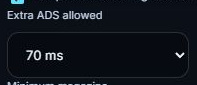
Allows no extra ADS time, 35 ms, 70 ms, or the loose Any setting, relative to baseline. This controls the allowed penalty from the build. The separate Maximum ADS limit still applies.
E8 Maximum ADS
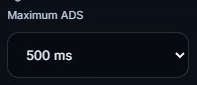
Sets an absolute ceiling of 500, 300, 250 or 200 ms. Lower means a stricter aiming-speed limit. A weapon with slow base handling can be excluded even if it has excellent damage and recoil.
E9 Minimum magazine
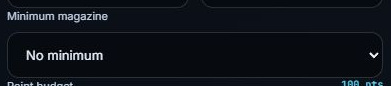
Requires at least 20, 30, 40 or 60 rounds, or No minimum. It is a minimum capacity, not a request to fill every remaining point with magazine size. Capacity and reload speed can trade off against each other.
E10 Point budget
Sets the attachment cost limit from 20 to 100, in steps of 5. The Armory counters use this same limit. A 100-point limit is a maximum, not a target the optimizer must spend. Unused points are acceptable.

E11 Search depth
Fast produces a provisional shortlist. Deeper searches more thoroughly but is still provisional. Exact verifies the modeled objectives across compatible catalog choices, using safe grouping and pruning. Only a completed Exact result is certified within this model; broad searches can take much longer.
F · Browse and build in the Armory
F1 Weapon category tabs
All, Assault, Carbine, SMG, LMG and Sniper filter the visible weapon list. These browsing tabs do not change the actual search-category restriction C5.
F2 Find a weapon
Filters catalog names so you can find a gun quickly. Typing a name narrows the browser list; click the weapon to select it. This box is not the Ask the Armory request box.
F3 Compare eligible weapons
Switches the search back to comparing eligible weapons. Your class, access and other restrictions still apply. It does not mean every weapon in the catalog automatically qualifies.
F4 Weapon list buttons
Clicking a gun selects it for exploration and a single-weapon search. Changing weapons clears the previous weapon's attachment rules. The available attachments and real costs come from that weapon's catalog.
F5 P1 Primary / Exploring summary
Names the gun currently shown in the schematic and its number of actual slots. P1 is a primary-weapon summary, not an operator choice or a second scoring system. Clicking it returns you to the builder.

F6 3G Optimizer / Your settings summary
A shortcut to the three recommendation goals: balance, control and ideal kill timing. It does not add a second weapon or secondary loadout to the search.

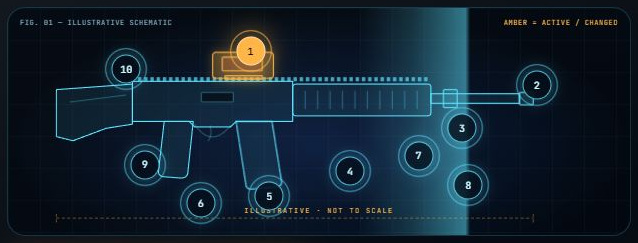
F7 Schematic and numbered nodes
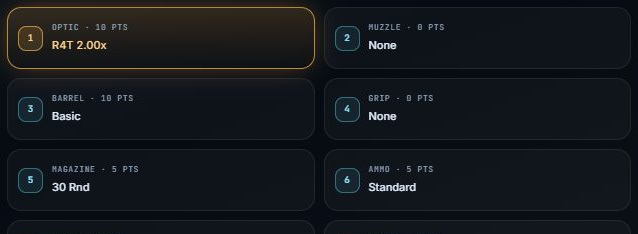
The drawing is an illustrative part-category schematic, not an exact model of each real gun. Clicking a numbered node opens that attachment slot. Numbers identify slots; they are not attachment point costs.
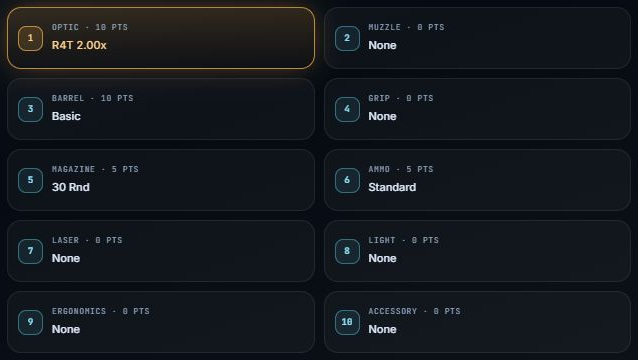
F8 Numbered slot tiles below the drawing
Each tile names a slot, the equipped preview part and its points. Click one to edit that slot. Available slots vary by weapon. Amber highlighting can mean an active or changed part; it is not automatically a performance warning.
F9 Preview attachment points
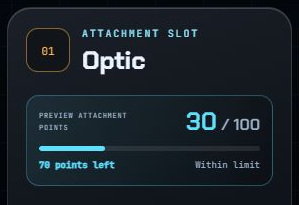
The two matching meters show the equipped preview's total, your selected limit and points remaining. At limit means no points remain. Over limit turns amber. This is cost, not performance, and it is not the total cost of all preferred search options.

F10 Strip optional parts
Returns the manual preview to the app's baseline choices. Baseline parts can still cost points. Your existing search locks and rules remain, so this is not the same as Clear attachment rules or Reset preferences.
F11 Save manual build
Saves the current preview in this browser. It is a saved arrangement of parts, not proof that it is the optimum. A manual or over-limit preview is not made valid merely by saving it.

F12 Compare this as my build
Makes this manual preview the reference for recommendation comparisons. It does not tell the optimizer that this is the best build. Look for Compared with my [weapon] on later recommendation cards.
F13 Optimize this weapon
Searches for the best allowed attachments for the displayed weapon using your fight settings and rules. It can replace parts you only tried. Lock each part you must keep with Must use. A required part may force other unlocked parts to change.
G · Attachment choices and rules
G1 Attachment slot, search box and choices
The heading names the selected slot. Search this slot filters its catalog options. Each option belongs to this weapon; different guns can have different choices and costs.
G2 Part points, After swap and Equipped total
The small PTS badge is that part's cost. After swap shows the full preview total if it replaces the current slot. It also shows the net point change and points left/over. Equipped total identifies the part already in the preview.
G3 Try part / Previewing
Try part equips that part in the manual preview and updates the chart, stats and point meters. Previewing marks the currently equipped option. Trying it does not require the optimizer to keep it.

G4 Must use
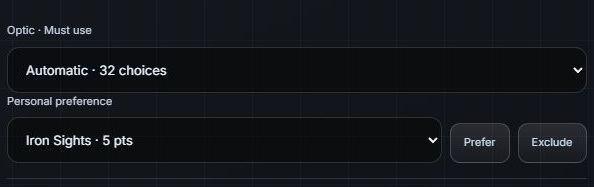
Locks the exact catalog part for the next search, including its real point cost. In the Armory it also appears in the preview. Click Must use again to clear it. A named optic takes precedence over a conflicting generic zoom filter in the Armory; the site explains when it clears that filter. Other requirements remain in place.

G5 Prefer
Gives this part a small, disclosed search preference. It is not guaranteed to win, and it does not equip the preview or immediately spend points. Multiple preferred options in one slot are alternatives. Use Must use when the exact part is non-negotiable.

G6 Exclude
Removes this part from the next search. It does not automatically remove it from the manual preview. Requiring and excluding the same part is a conflict; clear one of those rules.

G7 Source effects
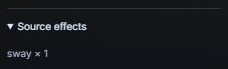
Expands the source modifiers and notes for the part. A tier shift is a step on a source stat ladder, not necessarily that many degrees or a percentage. The Performance Matrix is easier for seeing the resulting whole-build values.
G8 Shared rail and attachment dependencies
A shared rail holds one permitted device at a time, so replacing the device replaces its cost. Some parts require another part or conflict with it. A point total within budget does not, by itself, prove compatibility.
G9 Choose attachments: Must use, Prefer or Exclude
This expandable section beneath Recommendations offers another way to set the same weapon-specific search rules. It includes per-slot Must use dropdowns, preference/exclusion buttons and the full source catalog. Select one weapon before setting its rules.
G10 Clear attachment rules
Clears the named Must use locks and preference/exclusion rules. It does not reset every fight setting or remove saved builds. Your generic magnification, suppressor and other advanced limits may still restrict the next search.
H · Performance matrix
H1 Matrix bars and baseline ghost
The filled bars describe your current preview. Ghost bars show that weapon’s baseline under the same class and fight settings, including a qualifying optic when magnification is required. A longer bar is not always better: lower recoil, ADS and TTK are favorable. This baseline is separate from your saved comparison build.

H2 Damage / hit
Modeled damage for one hit in the selected zone at the displayed distance. Higher usually means fewer hits are needed. For a distance band this headline is the midpoint value, not the full range result.

H3 Modeled sustained ADS recoil
A simulated measure of recoil displacement during your selected aimed firing sample. Lower means less modeled displacement. A readout of 0.085° less means the preview has less recoil than the baseline. It is not damage, a percentage, per-shot kick or independently verified camera movement. Firing sample and recovery assumptions affect it.

H4 Ideal firing TTK
Perfect-hit time from the first shot to the killing shot. Lower is faster. No aiming or sprint delay is added. A band's matrix headline uses the midpoint; recommendation range tables show the sampled distances.

H5 ADS
Time to aim down sights, in milliseconds. Lower is faster. It affects handling, not the app's ideal firing TTK.

H6 Bullet velocity
Initial bullet speed in meters per second. Higher reduces the app's simple travel-time estimate at the same distance. This does not model a complete bullet path, drag or hit probability.

H7 Rate of fire
Rounds per minute (RPM). Higher means shots can leave faster in the modeled firing mode. More RPM can also increase recoil during sustained fire; it is not an automatic all-round improvement.

H8 Class readout / Chart references & evidence
The class readout explains any conditional bonus applied. The expandable notes explain chart scaling, midpoint versus range scoring, the illustrative drawing and remaining evidence gaps.

I · Ask the Armory
I1 Your request
Enter a known weapon, class, mode, distance or band, one supported priority, optic magnification, laser preference or suppressor requirement. Example: Low recoil M433 at 20-50m with a 2x optic.

I2 Example request chips
Clicking one fills and runs that example. It can change settings and start a search immediately. The examples illustrate supported wording, not preselected best-in-game builds.

I3 Find a loadout
Translates the supported parts of your request into controls and runs the existing optimizer. Unspecified settings remain as they were, so old limits or rules may still matter. It does not invent missing attachment stats.

I4 Optimize selected weapon
Runs the optimizer for the weapon you are exploring using the current controls. It is the same kind of action as F13, not an independent AI scoring system.
I5 Optimizer terminal / interpreted settings
Shows what the app recognized and warns about unsupported wording. Multiple weapons/classes, invalid distances or magnifications and armored-TTK requests may be rejected. Other unsupported wording is not modeled; review the actual controls before relying on the result.

I6 View search results
Jumps to Recommendations. It does not run a second search or prove a provisional result is complete.
J · Recommendations and search status
J1 Best balance / Easiest to control / Fastest ideal kill
Best balance follows your weighted priorities. Easiest to control minimizes the model's combined recoil and precision loss. Fastest ideal kill minimizes the selected timing, which may include estimated travel. One build can win more than one goal.
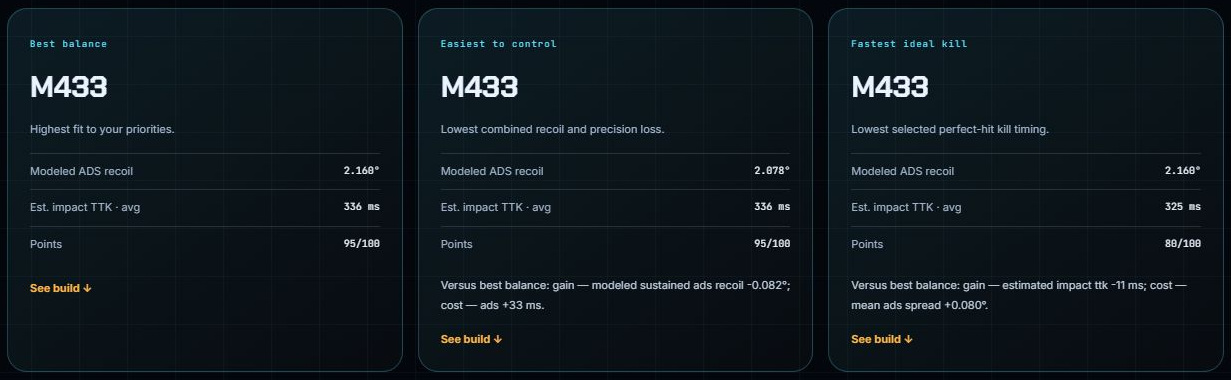
J2 Search status and completion receipt
SHORTLIST or PROVISIONAL means best found so far. EXACT SEARCH COMPLETE means the selected model objectives were verified for this catalog and sampled range. Saved jobs can be reused for matching settings/data. Complete does not mean every real-game mechanic is verified.

J3 Pause / Resume
Pauses an active Exact search and later continues from the same search position. This does not change your priorities or make a partial result complete.

J4 Stop search
Ends the active search. Retained partial results remain provisional. Do not interpret a stopped job as proof of the absolute best combination.
J5 Verify with Exact search
Takes a provisional shortlist into Exact search with the same current settings. It verifies the model's goals, not the accuracy of unverified game inputs.
J6 Export
Downloads a structured JSON record of search results/settings and version information. It is useful for backup or technical review. It is not a game-import button or a plain-language PDF report.

J7 Result name, weapon type, RPM, capacity and points
These identify the actual recommended weapon and attachment arrangement. 100/100 is its point cost, not a 100% quality score. See the attachment list for exactly which parts were selected.

J8 Source badges and class bonus box
Badges separate source-backed inputs, modeled behavior and evidence gaps. The class box compares this exact build with its version without the signature bonus; it is a different comparison from your own My build.

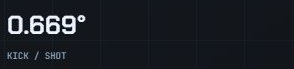
J9 Kick / shot
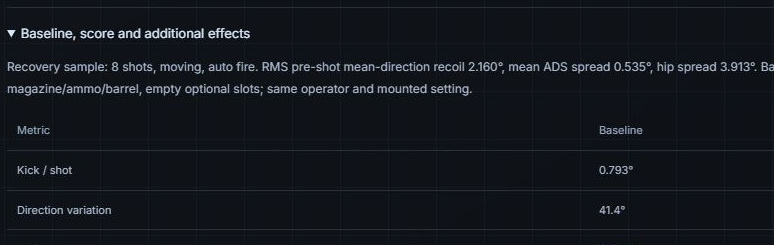
The modeled recoil kick from one shot, in degrees. Lower means less kick per shot. It is different from H3, which measures simulated recoil during a firing sequence.
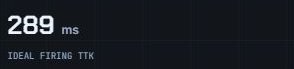
J10 Ideal firing TTK
Time between the first shot and the killing shot, assuming every shot lands in the selected zone and does damage. It uses the damage breakpoint and firing cadence. It does not include ADS, sprint recovery or travel.
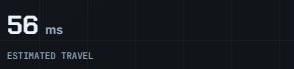
J11 Estimated travel
Distance divided by initial bullet speed, shown in milliseconds. It is the app's simplified estimate of how long a bullet takes to arrive. It does not account for drag or the full trajectory.
J12 Estimated impact TTK
Ideal firing TTK plus estimated travel once. For example, 583 ms firing plus 141 ms travel is about 725 ms after rounding from the underlying values. It does not add travel separately for every shot.

J13 Hits, damage, range, zone and firing-scenario line
These tell you what the timing assumes, such as 8 chest hits at 100 meters. A target needing a reload or an unresolved firing cadence can have unavailable TTK. In armored REDSEC contexts, displayed damage can be only an unarmored reference.

J14 Use this build & edit attachments
Copies the recommended arrangement into the attachment-rule editor and locks its listed parts. Clear individual locks if you want the optimizer to change them. This is more restrictive than merely inspecting the result.
J15 Inspect in the Armory
Shows the recommendation in the drawing and Performance Matrix. It does not turn all of the result's parts into Must use locks or change the original search scope. This is the better choice for exploring alternatives.
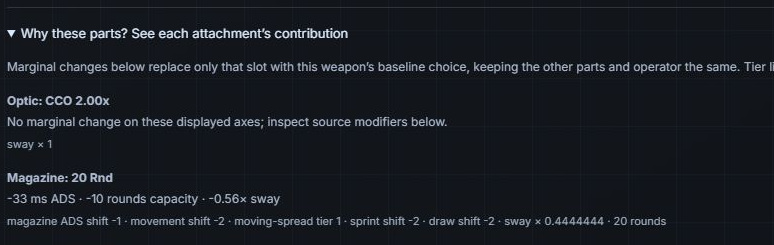
J16 Why these parts?
Shows marginal changes from replacing one selected slot with that weapon's baseline part while holding the other parts and operator fixed. Effects can interact, so the individual changes should not simply be added together.
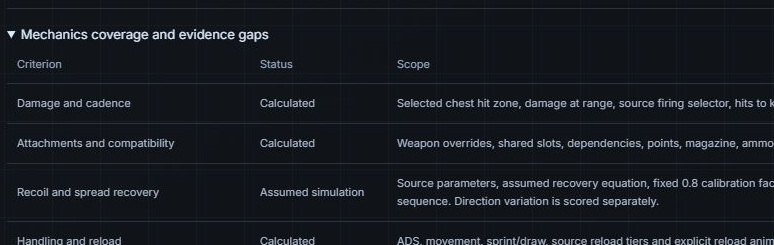
J17 Mechanics coverage and evidence gaps
Lists which criteria are source-backed, modeled, conditional or unknown for the result. Use it to judge confidence, especially for armor, camera movement, recovery assumptions and class activation.
J18 Baseline, score and additional effects
Shows the reference build, extra stat rows, firing sample, weighted loss contributions and source notes. This is the technical detail view. The baseline is not automatically the comparison weapon you built yourself.
J19 How this fits your priorities
Explains preference fit, effective shares and loss contributions. This fit is specific to your settings and this model. It is separate from the decorative Profile rating on the Live Build Readout.
J20 Performance across a distance band
Appears for range-band searches. The table lists each of the nine sampled distances with damage, required hits and timing. Check it when a midpoint headline hides an important near/far tradeoff.
J21 Versus best balance: gain / cost
Compares another goal's result with the best-balance result. A gain in recoil may cost spread, capacity or handling. This is not the same reference as My build or baseline.

J22 Find best build without lasers
Appears when a result includes a laser. It starts a new search with lasers excluded. The app rebuilds a replacement combination; it does not simply remove the laser and declare the remaining parts optimal.
J23 Save build / Create share link
Save build stores the recommendation in this browser. Create share link includes the build, settings and version in a link. Sharing does not change who is allowed to access the private site.

K · Compare with your build
K1 Compare my build
Opens the current-build editor. Use it to describe the gun you already use so recommendations can be compared with it.
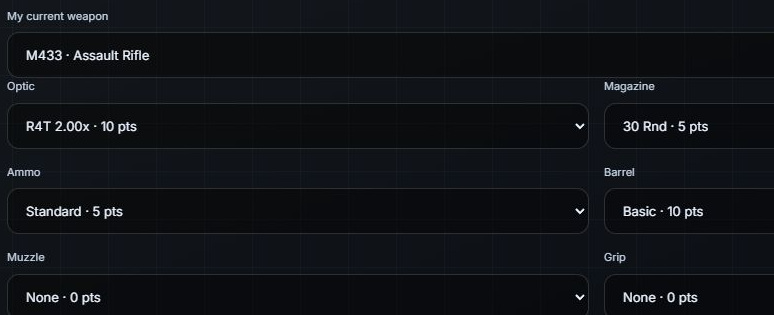
K2 My current weapon and part dropdowns
Choose the weapon and each attachment for your comparison reference. This does not require the optimizer to use those parts. It supplies the My build side of the comparison table.
K3 Use these parts for comparison
Activates the entered comparison build. Both it and the recommendation are recalculated under the same current class, range and firing assumptions. You can also set this reference using F12 or Compare as my build in Saved builds.
K4 Clear comparison
Removes the active My build reference and its recommendation comparison panels. It does not erase the recommendation itself or delete saved builds.
K5 Recommended build versus your reference: Change column
The columns name Your reference build and Recommended build. The change describes the recommendation relative to your reference: 0.085° less modeled recoil means the recommendation has less recoil. Less recoil, spread, ADS time and TTK are favorable; more damage or velocity is favorable on those metrics. Points are a cost. Both builds use the same current fight settings.
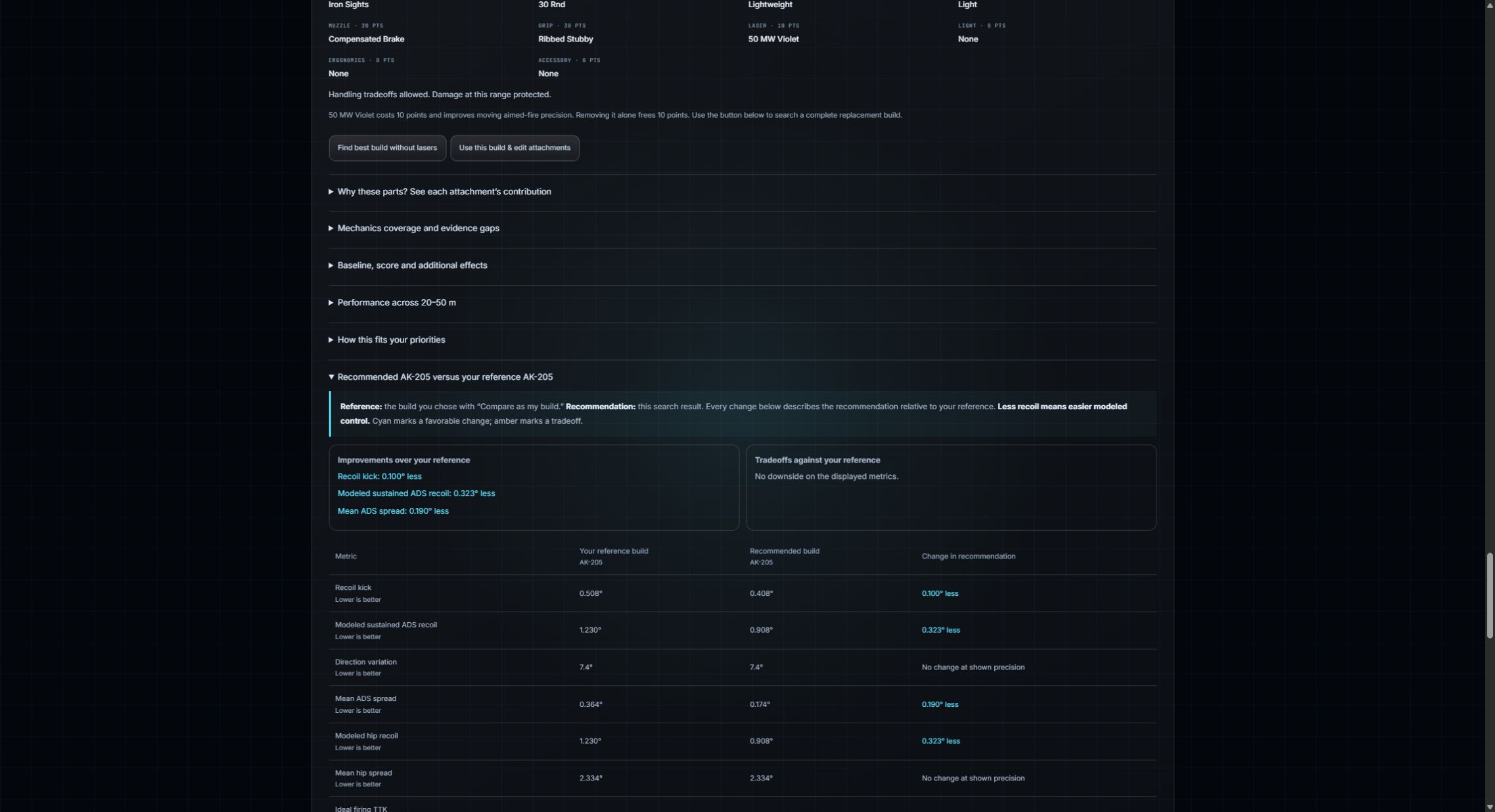
K6 Your current build differs from search limits
Your chosen reference build can be displayed even when it falls outside the current search rules. The warning names those differences; it does not mean the recommended build violates them. To use the reference’s exact parts as search requirements, set Must use separately.

K7 Which reference am I reading?
Live readout, performance matrix and Why this build compare with the weapon baseline. Recommended weapon versus your reference compares with the exact build you selected for comparison. Versus best balance compares with the best-balance search result. The class box compares the same attachment build without its class bonus. Read the heading before interpreting a change.

L · Saved builds, evidence and versions
L1 Build name
Enter a name before saving, such as AK-205 - 100m control. A name helps distinguish two attachment combinations for the same gun. It does not change stats or search priority.
L2 Filter by class / Filter by mode
Filters which saved builds you see. These library filters do not change your fight settings or run the optimizer.

L3 Build checkboxes / Compare selected builds
Select up to three saved builds for a side-by-side comparison. They are recalculated under the current fight settings. Their original settings remain available when you load each build.

L4 Load settings
Restores a saved build's recorded preferences and rules and displays its parts. It also makes the loaded build the comparison reference. Loading does not rerun or certify the search; find builds again to verify it.
L5 Compare as my build
Uses this saved gun as the comparison reference without loading all of its original fight settings. It is compared under the current scenario.
L6 Share / Create share link / Copy link
Produces a link containing the build, settings and data version. Copy link copies it for you to send. A recipient still needs access to the site. Reopening a shared build rebuilds its parts under current data.

L7 Remove
Deletes that entry from the browser's saved-build library. It does not remove an attachment from the catalog or delete a game loadout. Keep a share link or export first if you need a backup.

L8 Version and certification labels
Saved / provisional build is not an Exact certificate. Completed original search describes the original saved search. Data/model changes flag a build for review; an old completion is not proof of the best result under new data.

L9 What the numbers mean / Open notebook
The three overview panels explain attachment compatibility and exact verification, conditional operator effects, and perfect-hit timing with travel. This is the main nontechnical explanation of model limits.

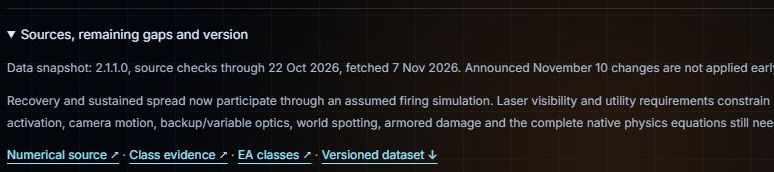
L10 Sources, remaining gaps and version
Shows the source snapshot and remaining evidence gaps. EA documents 40 armor HP per plate and 80 total in Battle Royale, plus armor-breaking events that also affect health. The exact transferred health damage, armor-curve selection and modifier composition remain unresolved. Precise armored TTK is unavailable. Some class/perk activation, camera motion, recovery and ballistics behavior also remain conditional.
L11 Faster exact search
Explains how the app reuses calculations, uses background workers and caches completed matching jobs. Exact need not literally repeat every identical-effect combination. A completed job proves the selected modeled objectives for its recorded scope.

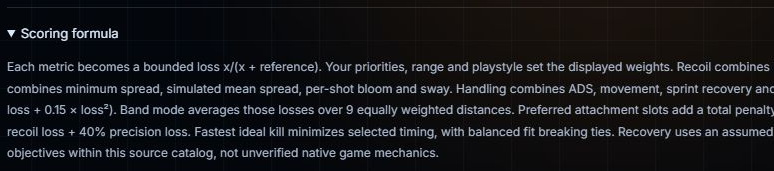
L12 Scoring formula
Shows the mathematical explanation behind balanced fit, control and timing. This section is optional: start with the basic fight controls, then read it if you want to understand how preferences become scoring weights.
L13 Versioned dataset and source links
Versioned dataset downloads the data snapshot. Source links point to the numerical source and class evidence. These are for checking provenance and reproducing an analysis, not equipping a game weapon.
L14 Design preview / Open current interface / footer
The Armory is the newer visual interface. Open current interface goes to the original layout. Both share the same weapon data and optimizer. How to use opens this guide from either interface. The footer identifies an unofficial fan tool, not an EA or Battlefield Studios product.